Calculate
Coordinates, local time, Central Time, and daylight-saving rules produce solar azimuth and elevation every 30 seconds.
Component architecture
Every user action, audio signal, video source, and device-status message passes through a coordinated Q-SYS network. Follow the diagram from sources through transport and processing to the room.
Interactive device map
Hover over a device to learn its job. Hover over a connecting line to identify the connection and highlight both devices. Keyboard users can tab through every device and path.
On a touch device, tap a device or use the connection list below the map.
HDMIThree local HDMI feeds carry presentation video and embedded audio from the ShareLink receivers into the rack encoder.
HDMIA short local HDMI connection carries each wall-plate source into its nearby network encoder.
Q-LAN network videoThe rack encoder places the ShareLink sources on the Q-SYS network for routing.
Q-LAN network videoThe wall-plate encoders place each room's local HDMI source on the Q-SYS network.
Dante digital audioFour microphone channels travel as digital audio from the Shure receiver across the network.
Network audio + metadataBackground music and track information enter the coordinated room system through the network.
Q-LAN control + PoETouch commands, synchronized interface state, and device power share the network connection.
Q-LAN system networkThe Core exchanges audio, video, user commands, status, and synchronization data with network endpoints.
GPIO dry contactThe physical wall switch sends up and down requests to Core general-purpose inputs.
Q-LAN video + controlThe selected stream and synchronized display instructions travel to each room decoder.
HDMI + RS-232HDMI carries picture and sound to each display; serial control manages power and input selection and returns status.
Q-LAN processed audioThe Core sends the correct room mix and level for each amplifier output channel.
70 / 100-volt speaker linesAmplified audio feeds the distributed ceiling, pendant, and Bistro loudspeaker circuits.
Balanced analog line audioA dedicated Core line output supplies program sound for accessible listening.
Analog program feedProgram audio passes into the room's hearing-assistance equipment.
RS-232 serial controlStructured manual or solar-scheduler commands tell the Somfy interface which shade should move and in which direction.
Somfy radio controlThe interface transmits the final movement command wirelessly to the selected shade motor.
New in v1.6.24–v1.6.25
The window-shade scheduler runs entirely inside Q-SYS. It derives the sun’s position, tests whether direct light is reaching the windows, and sends a movement command only after the target has remained stable.
Coordinates, local time, Central Time, and daylight-saving rules produce solar azimuth and elevation every 30 seconds.
The result is compared with the windows’ 15° bearing. Elevation must be at least 3° before closing is considered.
A 70° close threshold, 85° open threshold, and five-minute persistence prevent jitter and unnecessary reversals.
Script 04 asks the Room Session Engine to send the matching Somfy command once. A sunset fallback opens both windows nightly.
New in v1.6.17
System Verification is a technician-only path. Normal room sessions are shut down and blocked while one loudspeaker circuit is isolated, measured, compared, and—only with approval—adjusted.
Pink, sine, or white noise is selected. A safety gain starts muted at −60 decibels and ramps only inside Verification Mode.
Audio Matrix input 12 routes the protected signal to PDR, Main Ceiling, Main Pendant, Kitchen, or Bistro. Main Combined remains comparison-only.
A measurement microphone feeds both the calibrated sound-pressure-level meter and Q-SYS Responsalyzer for delay, coherence, magnitude, and frequency data.
The result can be compared with a runtime baseline. A valid recommendation changes only the matching downstream trim after a technician approves it.
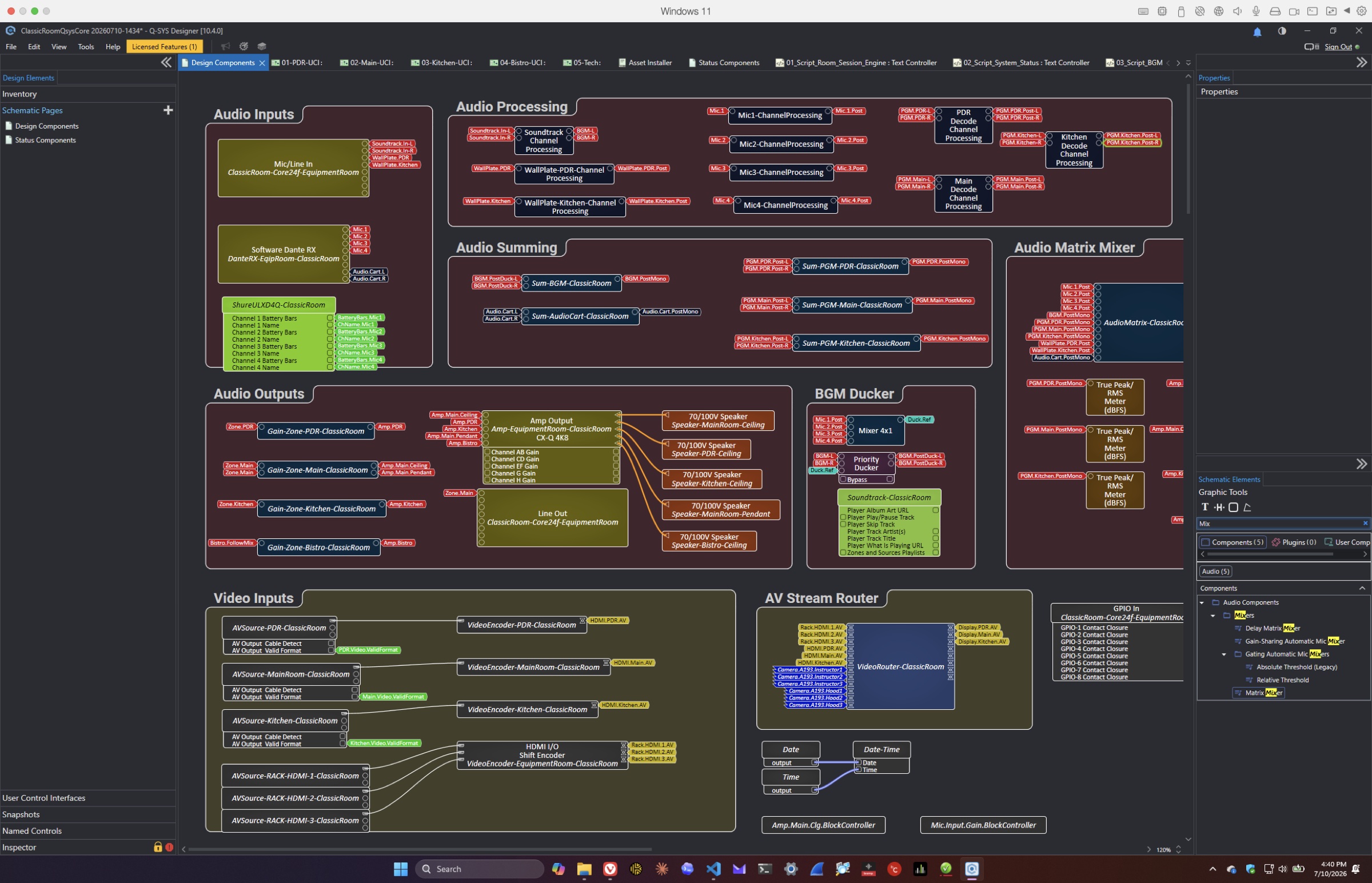
Read the flow
Q-LAN carries audio, video, touch-panel instructions, device health, and synchronization. The Core uses that shared state to decide what each room may control, which resources are available, and how all linked panels should respond.
ShareLink and wall-plate HDMI sources are encoded onto the network, routed by the Core, decoded by the NV-21 at each active display, then delivered over HDMI. Three ordered Samsung QB85C displays now have transition control in the design alongside the existing Sharp controls; the physical serial handoff and Samsung input/feedback behavior still await commissioning.
Microphones arrive over Dante; music and wall plates enter through network or analog inputs. The Core mixes and routes them to the CX-Q amplifier and hearing-assist output. A special-event mode also supports six discrete mono Dante sends to an audio cart and a stereo cart return.
Touch panels send user intent to the Room Session Engine. The Core returns synchronized screen state and controls displays and shades through network, serial, and GPIO connections.